Darling Spring: Elegance That Works—Not Just Decorates
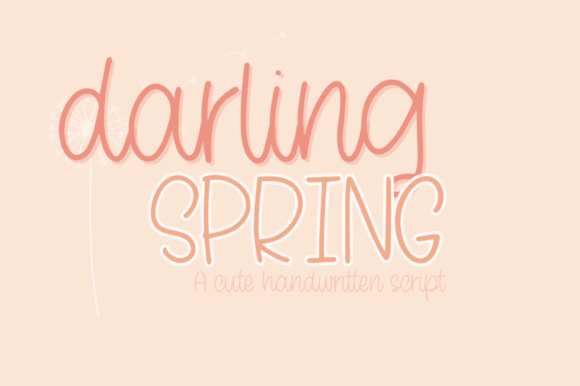
Darling Spring isn’t just another handwritten font—it’s a carefully crafted typographic voice with rhythm, intention, and quiet confidence. Its graceful flow and refined swashes make it a natural fit for wedding invitations, boutique branding, luxury product packaging, and thoughtful website headers. But elegance alone doesn’t guarantee effectiveness. Many designers and small business owners fall into subtle traps when selecting or using Darling Spring—mistakes that don’t ruin a project outright, but quietly erode clarity, consistency, or professionalism.
Assuming It Works Everywhere (It Doesn’t)
Darling Spring shines in display settings—headlines, logos, invitation suites—but it’s not built for body text. Its delicate letterforms, subtle variations in stroke weight, and expressive connections lose legibility at small sizes or on low-resolution screens. Using it for paragraphs, blog posts, or mobile navigation can strain readability and dilute your message.
A common misstep? Pairing Darling Spring with a generic sans-serif like Arial or Calibri—creating visual whiplash instead of harmony. Better: choose a complementary serif or neutral sans-serif with similar x-height and optical balance (think Playfair Display or Montserrat Light). Test both fonts side-by-side at actual usage sizes—not just in your design app preview.
Overlooking the PUA Encoding (and Missing What Makes It Special)
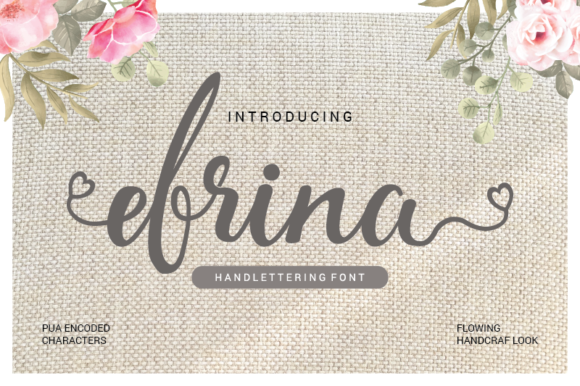
Darling Spring is PUA (Private Use Area) encoded—a technical detail many skip over until they try to access alternate glyphs or swashes and find them missing. Without understanding PUA, users default to basic characters only, missing the very features that give Darling Spring its sophistication: discretionary ligatures, beginning/end swashes, stylistic alternates, and contextual flourishes.
This isn’t about complexity—it’s about control. If you’re designing a wedding monogram or a boutique logo, those swashes aren’t decorative extras; they’re functional tools for visual storytelling. To use them properly: open Darling Spring in a font manager or vector editor that supports glyph panels (like Adobe Illustrator or Affinity Designer), not just word processors. In web projects, ensure your font hosting service or CSS @font-face setup includes the full character set—not just the standard Latin-1 range.
Downloading “Free Versions” That Aren’t Really Darling Spring
You’ll find files labeled “Darling Spring free download” across sketchy file-sharing sites—but these are often outdated, stripped of PUA support, or worse, rebranded knockoffs with inconsistent spacing and broken kerning pairs. They may look similar at first glance, but under scrutiny, letters collide, baseline alignment wobbles, and swashes vanish mid-word.
The cost of that shortcut? Hours spent manually adjusting letter spacing, mismatched client deliverables, or last-minute redesigns when a print vendor flags rendering issues. Authentic Darling Spring is licensed through reputable foundries or marketplaces like Creative Market or MyFonts. Always verify the seller’s profile, check license terms (especially for web or commercial use), and confirm the download includes both .OTF and .WOFF2 files if needed for digital deployment.
Ignoring Licensing Scope—Especially for Clients and Teams
Darling Spring licenses vary: desktop-only, web-embedded, app-integrated, or extended commercial use. A solo blogger buying a single-user desktop license won’t run into trouble using it for their site’s hero banner—if it’s self-hosted and served as an image or SVG. But if you’re a freelance designer building a Shopify theme for a client, or embedding Darling Spring directly via @import in CSS, you likely need a web license—and possibly one covering multiple domains or annual pageviews.
One overlooked detail: team access. If you’re part of a marketing agency using Darling Spring across internal presentations, client decks, and campaign assets, a single-user license won’t legally cover everyone who opens the file—even if no fonts are distributed externally. Check whether your license permits installation on multiple devices or concurrent users. When in doubt, contact the foundry directly—they’ll clarify faster than guessing.
Misjudging File Format Needs Across Platforms
Darling Spring performs best as an OpenType (.OTF) file on desktop apps—where glyph panels, ligature controls, and stylistic sets are fully accessible. But for websites, .OTF alone isn’t enough. Modern browsers rely on optimized web fonts: .WOFF2 (for broad compatibility and compression) and sometimes .WOFF as fallback. Some creators skip conversion entirely and serve .OTF files online—slowing load times and risking rendering inconsistencies on Safari or older Android devices.
Better practice: Use a trusted web font generator (like Font Squirrel’s Webfont Generator or Transfonter) to convert Darling Spring correctly, then serve it with appropriate font-display: swap and preload hints. For CMS platforms like WordPress, consider lightweight plugins that handle font loading intelligently—avoid bloated “all-in-one typography” tools that add unnecessary JavaScript overhead.
Skipping Real-World Testing Before Finalizing
It’s easy to fall in love with Darling Spring in a mockup—but context changes everything. Print it at actual size on the paper stock you’ll use. View it on a smartphone screen—not just your high-DPI monitor. Load it on a slow 3G connection and watch how it renders during page load.
One real-world example: a bridal studio used Darling Spring for their email newsletter subject lines, assuming it would render cleanly across clients. But because they embedded it as a web font without a robust fallback stack, many Outlook users saw plain Arial instead—undermining the brand’s carefully curated tone. The fix? Define a tight fallback chain (font-family: "Darling Spring", "Playfair Display", Georgia, serif;) and test across Email on Acid or Litmus before sending.
What to Check Before You Commit
- Licensing scope: Does it cover your intended use case—web, app, merchandise, client work?
- File completeness: Does the package include .OTF (for design), .WOFF2/.WOFF (for web), and documentation on accessing swashes?
- Technical compatibility: Does your design tool or CMS support OpenType features like stylistic sets or contextual alternates?
- Visual harmony: Have you tested Darling Spring alongside your secondary typeface at real sizes and weights—not just in isolation?
- Performance impact: If using on the web, have you measured how much it adds to your page’s total font payload and adjusted loading strategy accordingly?
Darling Spring earns its place in thoughtful design—not because it’s ornamental, but because it carries intention. When used with awareness, it deepens emotional resonance without sacrificing function. Choose it deliberately. Test it honestly. And let its grace speak clearly—not just beautifully.